Dynamics AX to Dynamics 365 migration cost: what drives the price
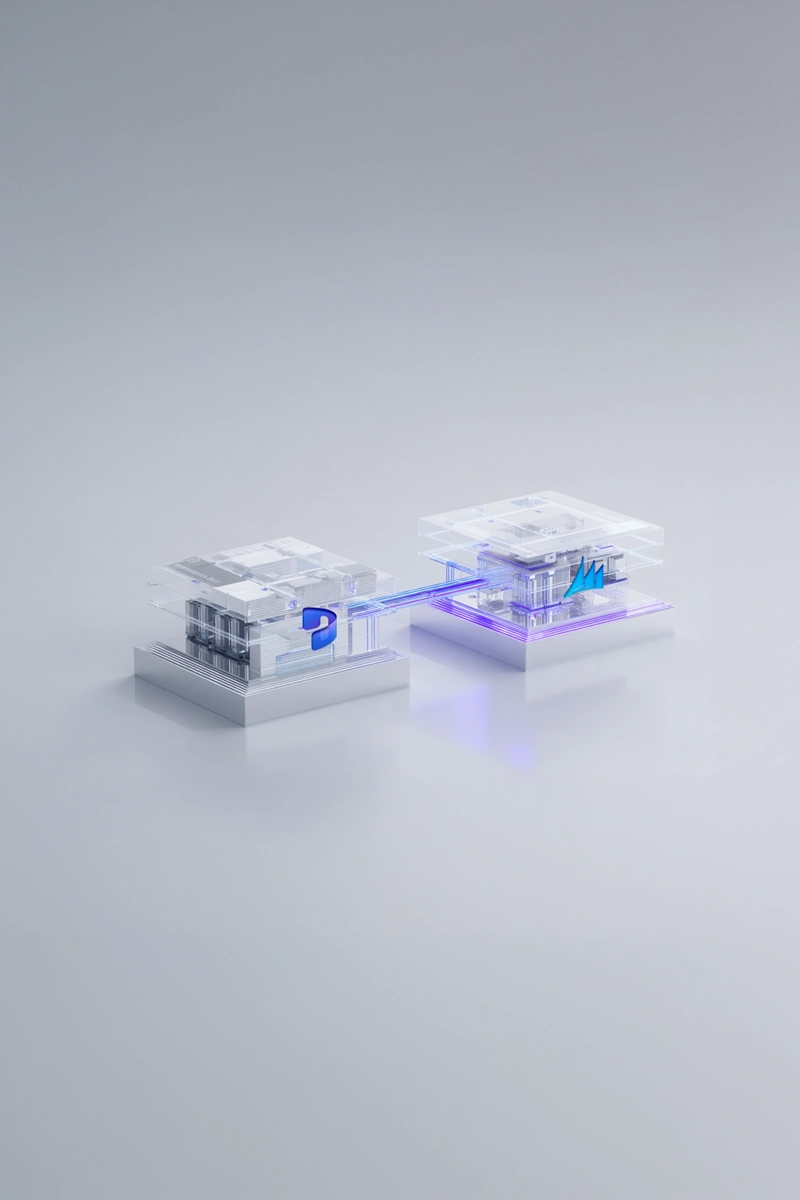
A Dynamics AX to Dynamics 365 migration typically costs from about £150,000 for a focused technical upgrade of a single company to £1.5 million or more for a group wide reimplementation, before licences. The price is driven far less by the number of users than by five factors: how heavily AX was customised, how many systems are integrated with it, how much history must move, how many legal entities and countries are in scope, and which migration path is chosen. Two companies with the same revenue and user count can receive quotes that differ by a factor of three, and the difference almost always sits in those five factors.
That is why a credible AX to Dynamics 365 migration cost cannot be given before someone has looked inside the AX environment. What a buyer can do is understand which drivers apply to them, which ones they can influence, and where cutting the budget would only move the cost into the first year after go live.
Key facts at a glance:
• Typical range. £150,000 to £1.5 million or more for the project, excluding VAT and licences, for midsize UK companies and groups.
• Main driver. The number and depth of AX customisations, because each one must be retired, replaced by standard or rebuilt as an extension.
• Second driver. Integrations, which are rebuilt rather than upgraded and must be tested end to end with every connected system.
• Path matters. A technical upgrade keeps history and costs less; a reimplementation costs more but removes accumulated customisation.
• Running costs. Licences start at go live, while infrastructure for AX servers and SQL Server is no longer needed in the cloud.
• Best first step. A fixed price assessment turns these drivers into a firm budget before any licence is bought.
What drives the Dynamics AX to Dynamics 365 migration cost?
The single biggest cost driver is customisation. AX allowed developers to change Microsoft's own code through overlayering, while Dynamics 365 accepts changes only as extensions that sit beside the standard code. Every modified AX object therefore has to be classified and handled: retired because Dynamics 365 now covers the need, replaced by a standard feature or an existing add on, or rebuilt as an extension. A lightly customised AX 2012 R3 system may have a few dozen such objects; one that has been extended for fifteen years may have many hundreds. The second driver is integrations. Interfaces to banks, warehouses, e commerce, payroll and reporting tools were usually built directly against AX tables and do not survive the move, so they are rebuilt using Dynamics 365 integration patterns and tested again with every partner system.
The remaining drivers are more predictable but still significant. Data volume and history determine how long the data upgrade runs and how many rehearsals are needed. The number of legal entities and countries multiplies configuration, localisation and testing. Reporting is often underestimated, because SSRS reports and Excel extracts built on AX need to be redesigned. The table summarises how each driver moves the price. Note that users barely appear in it: they matter for licences, but much less for the project itself.
| Cost driver | Why it moves the price | Typical effect on budget |
|---|---|---|
| Customisations | Each modified object is retired, replaced or rebuilt as an extension | Often the largest single line, from 20 to 40 percent of services |
| Integrations | Interfaces built on AX tables are rebuilt and retested | Grows with each connected system and partner |
| Data and history | Volume and years migrated set data upgrade time and rehearsals | Moderate, but rises sharply with poor data quality |
| Legal entities and countries | Each entity adds configuration, localisation and testing | Roughly linear with the number of entities |
| Reporting | AX reports and extracts are redesigned for Dynamics 365 | Frequently underestimated in early quotes |
| Migration path | Technical upgrade versus reimplementation | Reimplementation typically costs 30 to 60 percent more |
Does a technical upgrade cost less than a reimplementation?
Usually yes, but only when the starting point allows it. A technical upgrade is possible from AX 2012 R2 and R3; it moves the database and its history into Dynamics 365 and converts custom code into extensions. Because processes stay broadly the same, training and change management are lighter and the timeline is shorter. A reimplementation starts from standard Dynamics 365 processes, migrates balances, open items and a selected period of history, and leaves the rest in an archive. It costs more because design work restarts and users learn new ways of working, yet it often produces lower running costs, since fewer extensions mean less regression testing every time Microsoft releases an update.
The less obvious point is that the cheaper project is not always the cheaper outcome. A technical upgrade of a system full of workarounds carries those workarounds into a platform that updates several times a year, and each update then has to be tested against them. A company that expects to keep Dynamics 365 for ten years should compare the total cost over that period, not just the project quote. Many UK projects end up with a hybrid: the data is upgraded to keep history, while the areas where AX was bent furthest from standard, often finance reporting, procurement approvals and warehouse processes, are redesigned during the same project.

Which UK specific factors affect the budget?
For UK companies, VAT reporting is the most common local cost item. Since April 2022 all VAT registered businesses have had to keep digital records and submit returns through software compatible with Making Tax Digital, as set out in HMRC VAT Notice 700/22. Many AX installations meet this through bespoke bridges or third party connectors, which become redundant once Dynamics 365's own UK localisation is in place. Retiring them is a saving, but it must be planned and tested, because the first VAT return from the new system is a milestone the finance team will judge the project by. Post Brexit trade adds a second layer: companies moving goods between Great Britain, Northern Ireland and the EU often carry customs and VAT logic in AX that needs careful mapping.
Resourcing is the other UK factor. Senior Dynamics 365 Finance and Operations consultants are scarce in the UK market, and day rates reflect that. Many companies therefore combine a UK based lead with delivery teams elsewhere in Europe working in a close time zone, which keeps decision making local while reducing the blended rate. The ICAEW Tax Faculty's guidance on choosing Making Tax Digital software, written with the income tax rollout in mind, is also a useful checklist for finance teams reviewing whether their future setup covers the digital links HMRC expects. Getting these local items right early prevents expensive late changes.
How much should a midsize UK company budget?
The indicative ranges below are for midsize UK companies and groups and exclude VAT and licences. They assume a partner that works standard first, migrates data iteratively and tests with real volumes. Actual figures depend on the drivers above and are replaced by a fixed figure once the AX environment has been assessed. Licences are a separate, recurring line: at Microsoft list prices a full Finance or Supply Chain Management user costs USD 210 per month, an additional app for the same user USD 30 and an activity user USD 50, so mapping users to roles before ordering has a direct effect on the annual bill. Against that, the cost of AX servers, SQL Server licences and their maintenance disappears for the production environment.
Internal cost belongs in the budget too. Key users usually spend 30 to 50 percent of their time on the project during design and testing, and backfilling their roles is a real expense that rarely appears in a partner proposal. A realistic internal budget also includes data cleansing, which is cheapest when done in AX before the migration starts, and a contingency of 10 to 15 percent for findings that only appear during testing. Treating that contingency as a planned line rather than a sign of failure keeps steering discussions calm when it is used.
| Scope | Typical timeline | Indicative project cost |
|---|---|---|
| AX environment assessment | 4 to 6 weeks | Fixed price agreed before the start |
| Technical upgrade, one company, light customisation | 6 to 9 months | £150,000 to £350,000 |
| Technical upgrade, heavy customisation or several entities | 9 to 12 months | £350,000 to £700,000 |
| Reimplementation, one company | 9 to 12 months | £300,000 to £650,000 |
| Reimplementation across a group with several countries | 12 to 18 months | £650,000 to £1.5 million or more |
| Licences from go live | Monthly | USD 210 per full user, USD 30 per attached app, USD 50 per activity user, at list price |
Where can a company save, and where should it not?
Savings in an AX migration come mostly from decisions made before the build starts. The most effective ones reduce the amount of work rather than the price of each day, and they are largely in the company's own hands. The opposite also holds: some cuts look attractive in a proposal but return as higher costs after go live, when they are far more expensive to fix. The lists below reflect what we see in projects that stayed on budget and those that did not:
• Save on customisations. Challenge every AX modification and keep only those that protect revenue or compliance.
• Save on history. Migrate balances, open items and recent years, and archive the rest in a searchable form.
• Save on reports. Replace rarely used AX reports with standard Dynamics 365 reports or Power BI.
• Do not save on testing. Cutting test cycles or volume tests moves defects into the first live month end.
• Do not save on key users. Without freed key users, design decisions are made by people who will not run the processes.
• Do not save on data cleansing. Dirty master data migrated into Dynamics 365 costs more to fix there than in AX.
A partner that proposes a much lower figure by quietly reducing testing or key user involvement is not cheaper, only later.

How should a board judge whether the migration is worth the money?
A board should judge an AX migration against the cost of staying, not against zero. Microsoft ended extended support for Dynamics AX 2012 R3 in January 2023, so every month on AX now carries risks that do not appear on an invoice: security patches that no longer arrive, SQL Server and Windows versions that age out, fewer consultants who still know the platform, and a growing gap between what the business needs and what the system can be changed to do. Those risks rarely show up as a line in the budget, yet they decide how exposed the company is when a key integration fails or an auditor asks how financial controls are maintained on unsupported software.
The most useful business case therefore has three parts. The first is avoided cost and risk: infrastructure, hosting and specialist support for AX that disappear, and the reduced exposure of running finance on a supported platform. The second is retired workarounds: manual reconciliations, spreadsheets and bespoke bridges that the new system replaces, each with a named owner and an estimated number of hours saved. The third is capability the company cannot have on AX, such as continuous updates, Power BI and Fabric reporting on live data, and Copilot features in finance. Directors should ask for the first two to be quantified and the third to be described honestly, because inflated benefit claims weaken the case more than modest, provable ones.
How should the budget be governed once the project starts?
Most AX migrations that overrun do not fail on the estimate; they fail on governance after the estimate. Scope grows one reasonable request at a time, testing finds issues that nobody has authority to defer, and contingency is spent before anyone notices it has started to go. The remedy is simple to describe and needs discipline to run. A steering committee with the finance director, the operational sponsor and the partner's delivery lead meets every two to four weeks and sees the same three numbers each time: budget spent against plan, contingency used and remaining, and open change requests with their cost.
Two rules make that committee effective. Every change to scope goes through a written request that states the business reason, the cost and the effect on the go live date, and only the committee can approve it. Contingency is released in named portions for named risks, not as a general reserve. Commercial structure helps as well: a fixed price for the assessment, a firm estimate for the build once the design is signed, and payments linked to milestones such as a successful data rehearsal or a completed user acceptance test round give both sides a clear incentive to finish rather than to extend. A partner comfortable with that structure is usually confident in its own estimate.
Which questions should a finance director ask before approving the budget?
Before signing, a finance director should be able to answer a short list of questions without opening the proposal again. If any answer is unclear, the budget is not yet ready for approval, however attractive the headline number looks:
• What is in the price and what is not? Licences, internal time, data cleansing, archive and reporting work should each be listed as included or excluded.
• How many customisations were counted? The estimate should rest on an inventory of the AX objects, not on user numbers or a generic template.
• Who owns the data migration? The split between partner and client work on cleansing, mapping and reconciliation should be explicit.
• What happens if testing finds more than planned? The contingency, the approval route and the effect on dates should be agreed before testing starts.
• What will the system cost to run? Support, Microsoft update testing and licences for the first three years should sit beside the project cost.
These questions are not a test of the partner so much as a test of the company's own readiness. Clear answers mean the budget has been built on the real system and the real organisation; vague ones mean part of the cost has simply not been found yet. It is far cheaper to find it now, on paper, than in the middle of user acceptance testing with the go live date already announced.
How ANEGIS keeps AX migration cost under control
ANEGIS is a Microsoft Solutions Partner for Business Applications with 98 Dynamics 365 specialists and more than 170 experts in Poland and the UK, including a registered UK company, and it has delivered more than five AX migrations. Its Dynamics AX to Dynamics 365 migration service begins with an environment assessment that inventories customisations, integrations and data before any licence is bought, so the budget is based on the actual system rather than on user counts. The project then runs in stages: refactoring code into the extension model, iterative data migration, testing, a dry run cutover and a launch backed by a fallback plan, with local statutory requirements built in from day one.
For BUUK Infrastructure, a leading UK provider of last mile utility networks serving more than one million homes, ANEGIS moved the business from on premises AX to Dynamics 365 in the cloud, covering project management, finance, procurement, sales and master data. Analysis ran from November 2021 to May 2022, the implementation took 14 months, and the system went live on 3 July 2023, after which the ANEGIS support team took over maintenance. A detailed analysis phase of that kind is what keeps the later budget stable, because surprises are found on paper rather than in testing. For the wider picture of timing and phases, see our guide to Dynamics 365 Finance and Operations implementation timeline and cost.
Turn your AX migration estimate into a firm budget
The fastest way to a reliable number is to look inside your AX system before signing a proposal. Contact ANEGIS to book a free consultation or a fixed price assessment of your Dynamics AX environment.


Looking for a Microsoft partner? Let's talk about your project
Work with a team that has delivered implementations and projects for dozens of companies. Schedule an introductory call and see:
How to tailor Dynamics 365 to your company's processes, rather than the other way around
Which areas are worth automating to save time and reduce costs
Here is the step-by-step implementation process with Anegis: from analysis to post-launch support