


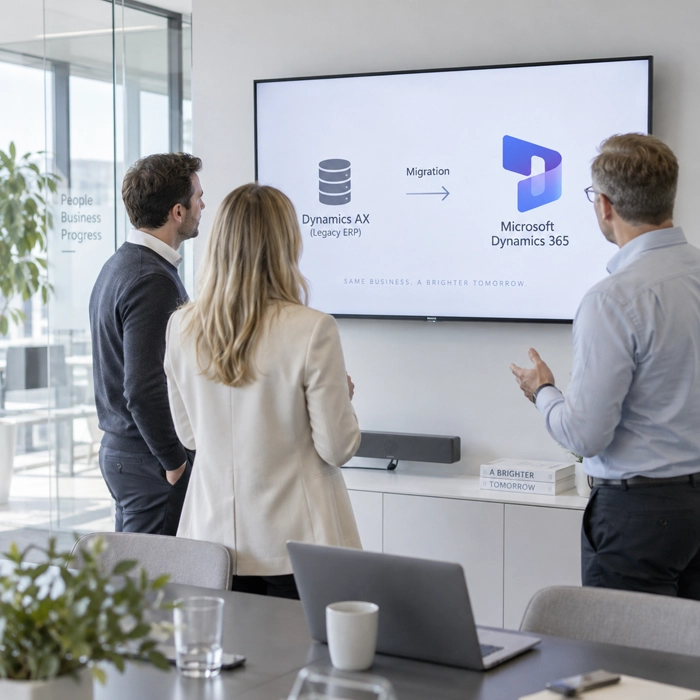
About the service
Dynamics AX 2009 and 2012 have been out of Microsoft support for years: support for AX 2009, 2012 and 2012 R2 ended in April 2022, and for AX 2012 R3 in January 2023. The system runs, but it no longer receives security patches or regulatory updates, and every change in the law becomes a problem you have to solve and maintain in-house. The servers and database age with it, AX expertise on the market is shrinking, and every year of delay raises the cost and risk of moving.
ANEGIS moves organisations off AX onto Dynamics 365 Finance and Supply Chain Management, the direct successors to AX, in the cloud or on-premises. We start with an environment assessment that answers the key question before you buy any licence: a technical upgrade that preserves the full transaction history, or a fresh implementation with data migration. We then run the project in stages: refactoring code into the extension model, iterative data migration, testing, a dry-run cutover and a launch backed by a fallback plan. Local statutory compliance for the markets you operate in is built in from day one, and at the end we hand knowledge over to your team so the system runs and grows without us.
98
5+
170+
AX still works. The problem is everything around it.
These situations recur in almost every company we talk to about leaving AX. If you recognise even two of them, migration is a decision to make on the facts rather than defer.

No patches or regulatory updates
Maintenance cost rises, value does not
Years of X++ customisation
Integrations nobody wants to touch
Expertise draining from the market.
A path chosen without hard data
What migration changes in day-to-day operations
Compliance you do not have to fight for
Statutory reporting and local tax requirements run in Dynamics 365 as standard, complemented by ANEGIS accelerators and updated as the rules change. A change in the law stops being a project and becomes an update.
The end of big upgrades
Under One Version, Microsoft delivers updates through the year and the system stays on a supported release. The migration from AX is the last big version jump in your ERP's history.
Your transaction history stays with you
On the upgrade route the whole AX database is converted, so comparative reports, multi-year analysis and audits run on the full history. You do not restart your accounts from zero.
Less code, less risk
Customisations refactored into the extension model do not block updates, and some disappear because today's standard covers them. The system gets lighter, cheaper to run and less dependent on individuals.
Data and AI within reach
Dynamics 365 connects natively to Power BI, Microsoft Fabric and Power Platform, and Copilot and agents work inside finance and operations processes. These are capabilities AX will never get.
A cost you can actually work out
Servers, SQL licences and the enhancement plan go, replaced by a subscription matched to real user roles. An independent Forrester TEI study of Dynamics 365 Finance, commissioned by Microsoft, puts the return on investment at 122 percent and a 55 percent shorter period close for a composite organisation.
Leaving AX, under control
Who gets the most from leaving AX
Companies come to leaving AX from very different places. We most often work with six types of organisation.
Companies on AX 2012 R2 or R3 with moderate customisation
You have the shortest route: a technical upgrade that keeps the full transaction history and configuration. The main effort is refactoring code from over-layering into extensions and rebuilding integrations. The environment assessment shows how much of that code is really needed.
Companies on AX 2009 or heavily modified AX 2012
A direct upgrade does not exist, so the route is a fresh implementation with migration of master data and open items. It sounds like a bigger project, but it gives what an upgrade cannot: a clean start, simplified processes and a system without fifteen years of technical debt.
Companies still paying the enhancement plan
You pay roughly 16 percent of the licence value a year for a system that will get no new features. An active agreement is an advantage, though: access to Microsoft migration programmes with subscription discounts and the right to run both systems in parallel during the transition. The renewal date is the moment to take the decision.
A Polish subsidiary in an international group
Head office runs a different system or is planning a global rollout, while the Polish company is stuck on AX with local workarounds for KSeF and JPK. We implement Dynamics 365 so the subsidiary meets Polish requirements without diverging from the group template, and we tie it into central reporting.
Companies after a stalled or failed migration
A project with another partner stopped, the budget ran out and the team lost confidence in the change. We run project recovery: we work out what was actually delivered, save what has value and bring the migration to a safe launch without starting over.
IT and finance leaders facing a decision
You are weighing Dynamics 365 against another ERP and need specifics: cost, risk, schedule, security requirements. We provide them as an environment assessment and documentation, not a pitch, and if another route is the better choice for you, we say so.
The fastest first step
An AX environment assessment that answers three questions within a few weeks: which route to take, what it will cost and where the risk lies. No licence purchase, no project in the dark, no obligation once it is done.
Parameters
- Duration: 3 to 5 weeks
- Effort: 15 to 25 working days
- Pricing: fixed price, known from the outset
- Environment: we work on a copy of your AX database and code and on Microsoft's tools, with no Dynamics 365 licence on your side
Scope
We analyse the AX version and update level, the volume and structure of the X++ code split into over-layering and what today's standard covers, the list of integrations and ISV add-ons, the state and volume of the data, and the key finance and operations processes. On that basis we compare the two routes, upgrade and fresh implementation, in cloud and on-premises variants, and recommend one with the reasoning. We agree the scope together before we start, so the outcome is predictable and you can weigh the recommendation fairly against other partners' proposals.


How the assessment works
- Kick-off workshop. Together we define the business goals of the migration, the time and budget constraints and the compliance requirements, including KSeF.
- Technical analysis. We run the code through Microsoft's upgrade-analysis tools and measure the scale of over-layering and the conflicts with the standard.
- Functional analysis. We map the key processes onto Dynamics 365 and identify which customisations the standard covers and which need extensions.
- Data and integration review. We assess data quality, the volume of history and every integration against supported patterns.
- Route selection. We compare upgrade with fresh implementation on cost, time, risk and history continuity.
- Licensing model. We map user roles onto Dynamics 365 licence types and check the Microsoft migration programmes available.
- Recommendation. A target architecture diagram, the route, a phased schedule and a risk register with mitigations.
- Cost estimate. A range for the project effort, a licence proposal and ways to reduce infrastructure cost.
What you get at the end
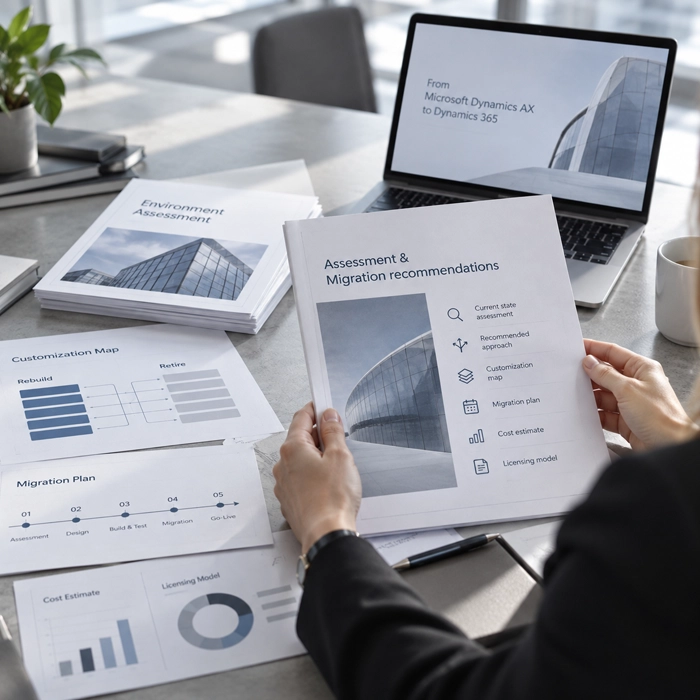
An environment assessment report, a recommended route with the reasoning, a customisation map of what to refactor and what to retire, a phased migration plan, a cost estimate and a licensing model. It is not a sales pitch but a document you decide on and take into a conversation with any supplier from a position of knowledge. And if the assessment shows the right move is to wait or take another route, you finish with a clear answer and no obligation.
Let's talk about an environment assessment



Two routes, one decision on the facts
Choosing the route is the most important decision in the whole project. It depends on the AX version, the scale of modification and how much history you want to bring with you. We take it together, on the result of the environment assessment.

Technical upgrade
Possible only from AX 2012 R2 and R3. Microsoft's tools convert the whole database, so the full transaction history, configuration and reference data move into Dynamics 365. AX 2012 with no R designation has to be brought up to R3 first. It is the fastest and usually cheapest route, provided the code and integrations can be tidied up. The effort concentrates on refactoring customisations into the extension model, rebuilding integrations and testing, not on reconfiguring processes.

Fresh implementation with data migration
The only route for AX 2009, and usually the best for AX 2012 with extensive modification or processes you want to redesign. Master data, balances and open items migrate to the new system, while history stays in an AX archive or moves to a data warehouse, where it remains available for reporting. You get a clean start: configuration based on today's standard, cleansed data and processes free of the last decade's workarounds.

How we choose
The rule is simple but needs data: AX 2012 R2 or R3 with moderate customisation leads to an upgrade; AX 2009 or a large share of over-layered code leads to a fresh implementation; AX 2012 in between needs the two variants compared in numbers. We also check whether the environment uses features the upgrade tools do not support, such as virtual companies or data partitions. The analysis settles this, not partner preference.

Cloud or on-premises
The default target is the cloud: continuous updates, full access to Copilot and the data platform, no infrastructure of your own. On-premises makes sense with hard data-sovereignty requirements, no Azure region, or existing data-centre investments. We design both options so a later change of decision stays possible.
Fifteen years of modification under control
The X++ code is where AX migrations most often derail. Dynamics 365 does not support over-layering, so every modification has to be refactored, replaced with the standard or deliberately retired. We do it methodically, not wholesale.
- What we find in AX environments. Typically a dozen or more years of modifications layered by successive teams and partners: changes to standard classes, custom modules, SSRS reports, print layouts, integrations built for specific systems. Some of that code runs critical processes, some duplicates functions Dynamics 365 has as standard today, and some has not been used for years and nobody has checked.
- How we do it technically. We run the code through Microsoft's upgrade-analysis tools, which flag the conflicts with the standard and estimate the conversion effort. We classify each modification: refactor as an extension, replace with a standard function or an AppSource solution, or retire. We refactor into the extension model, without touching Microsoft's code, under version control in Azure DevOps, so every change has a history and can be rolled back.
- Standard before customisation. Since AX 2012, Dynamics 365 has gained functions you once had to build yourself: approval workflows, advanced planning, intercompany accounting, Power BI reporting. So before refactoring any modification we check whether it can simply be switched off. This typically cuts the amount of code to maintain and shortens the project.
- The rule that protects your budget. Migration is not the moment to add new functions. Anything beyond reproducing the processes in the new system goes on the post-launch list. We know from experience that expanding scope during a migration is the most common cause of budget overruns, so we hold that line from the first workshop.

Data under control from the first run
Fear of losing data stops more migrations than cost does. So we move data iteratively, validating at every step, not in one jump the night before launch.
How it looks in practice
We run the migration several times, through successive environments: development first, then a test environment with user acceptance, and finally production. Each run ends with a reconciliation of balances, counters and key reports against AX, and a list of discrepancies to resolve. On an upgrade the whole database is converted; on a fresh implementation master data, balances and open items go through the Data Management Framework, and history moves to an archive or warehouse. Before anything touches production, we know exactly what will move and how.
An example from our projects
For an infrastructure company we ran a migration from Dynamics AX 2012 to Dynamics 365 where keeping multi-year transaction history for contract accounting was a strict requirement. Successive migration runs on the test environments let us close the list of discrepancies before the dry-run cutover, and the production launch happened in the agreed window with no break in reporting continuity.
Why data is a plan, not a risk
The iterative approach turns the project's biggest unknown into a measurable process: after the second run you know the migration duration to the hour; after the third your discrepancy list is empty. The dry-run cutover replays the whole launch scenario at production volume, so on go-live day there is nothing left to discover.
Everything that lived around AX
AX rarely works alone. Around it sit integrations, reports and third-party add-ons, and each of them needs a decision: move, rebuild or replace.

- Integrations onto supported patterns. Most AX 2012 integrations, built on AIF, direct database access or flat files, need rebuilding onto Dynamics 365 mechanisms: OData, business events, the Data Management Framework and Dataverse. We inventory every integration, match a pattern to the requirement and build it to survive successive updates. Where many systems are connected, we base the whole on Azure Integration Services rather than a mesh of point-to-point links.
- Reports that stop being code. We move SSRS reports and layouts from AX to Dynamics 365 only where they are operational documents. Analytical reporting moves to Power BI on data shared through Fabric Link, without loading the system. As a result, changing a report definition no longer needs a developer, and the numbers in different departments' reports start to agree.
- ISV add-ons by decision, not by default. For each add-on we check whether the vendor has a Dynamics 365 version, whether today's standard or an AppSource solution covers its function, and whether it is still used at all. The Polish compliance layer, KSeF, JPK and the Polish Localisation Pack, we provide with our own maintained solutions, so you do not depend on outside vendors here.
- The rule of order. We rebuild integrations and reports before launch, not after. Starting the system with temporary manual workarounds ends in workarounds that last years, so the list of integrations is closed and tested before the dry-run cutover.
New capabilities without a separate project
Leaving AX opens up functions AX will never get: Copilot in your processes, a new planning engine, a data platform and no-code automation. You do not have to adopt them at once, but it is worth knowing what is on the other side.
- Copilot and agents in your processes. Dynamics 365 has a built-in Copilot that summarises customer data, explains discrepancies in receivables and helps with period-end reconciliations, and successive update waves add agents for specific tasks, from supplier communication to balance monitoring. They work within the user's permissions and on data they can already reach.
- Planning AX could not deliver. The AX planning engine is replaced in Dynamics 365 by Planning Optimization, cloud-based and many times faster. Plan calculations that took hours in AX run in minutes, so planning can respond to change during the day rather than once a night.
- A data platform and automation. Dynamics 365 data flows into Microsoft Fabric without copying, reports are built in Power BI, and you build simple apps and flows in Power Platform without writing code. What needed an X++ developer in AX is often done after migration by an analyst or a key user. That is why we design the architecture with this step in mind from the outset, even if you take it a year after launch.
Leaving AX, under control
Start with a free consultation or with an environment assessment that shows the route, cost and risk of the migration within a few weeks.
You pay for roles, not for names
Moving from the enhancement plan to a subscription changes how ERP cost is counted. We know the model well and design the migration so that you do not overpay, at the start or once Microsoft enforces licences.
From enhancement plan to subscription
In AX you paid once for licences and about 16 percent a year for the maintenance plan, plus servers and SQL. In Dynamics 365 it all becomes a per-user subscription and the infrastructure leaves the bill. At migration we work out the full cost of ownership in both models, so you compare the whole, not just the licence price.
Base and attach licences
Each full user has one base licence and adds further apps as cheaper attach licences. Which app is the base and which an attach makes a real difference to the bill, and we set it at the assessment stage, not after the first invoice.
Roles instead of full licences for everyone
A large share of AX users perform narrow tasks: approving, reading, recording time. In Dynamics 365 those roles map to the lighter Team Members and Operations – Activity licences. We map AX roles onto the right licence types, which is usually the single largest saving in the whole model.
Licence enforcement from 2026
From January 2026 Microsoft enforces that assigned licences match users' privileges: a wrong assignment ends in blocked access. Migration is the best moment to put roles and permissions in order once, before the system starts checking them for you.
Microsoft migration programmes
For AX customers with an active enhancement plan, Microsoft runs programmes supporting the move to the cloud, with subscription discounts and the right to run both systems in parallel during migration. Terms and dates change, so we check them at proposal time and help you through qualification.
Infrastructure cost under control
In the cloud you pay for the environments you use. We match test and development environments to the project phases and switch them off when they are not needed, and after launch we recommend a setup where production and development do not compete for resources or budget.
A launch you can plan to the hour
Launch day cannot be a day of surprises. So we run the cutover as a rehearsal first, at production data volume, and run the launch to a plan with clear decision points and a way back.
- A dry-run cutover like the real thing. A few weeks before launch we replay the whole launch scenario: freezing AX, migrating data, starting integrations, checking balances and users' first operations. We time every step and record everything that went differently from the plan. So on go-live day we know how long the migration will take and who does what in each hour.
- Go-live with a fallback plan. We schedule the launch for the window that least disrupts the business, usually around period-end, with clear go/no-go criteria at each checkpoint. Until we confirm balances, counters and the integrations, AX stays ready to return to. The ANEGIS team is on-site or in constant contact throughout the cutover.
- Stabilisation and the move to One Version. In the first weeks after launch we work in intensive-support mode: user tickets, configuration fixes, the first period close in the new system. In parallel we set the One Version update cadence and regression testing, so successive waves become routine. The result: a system that runs in continuous-update mode from the first month, not in project mode.
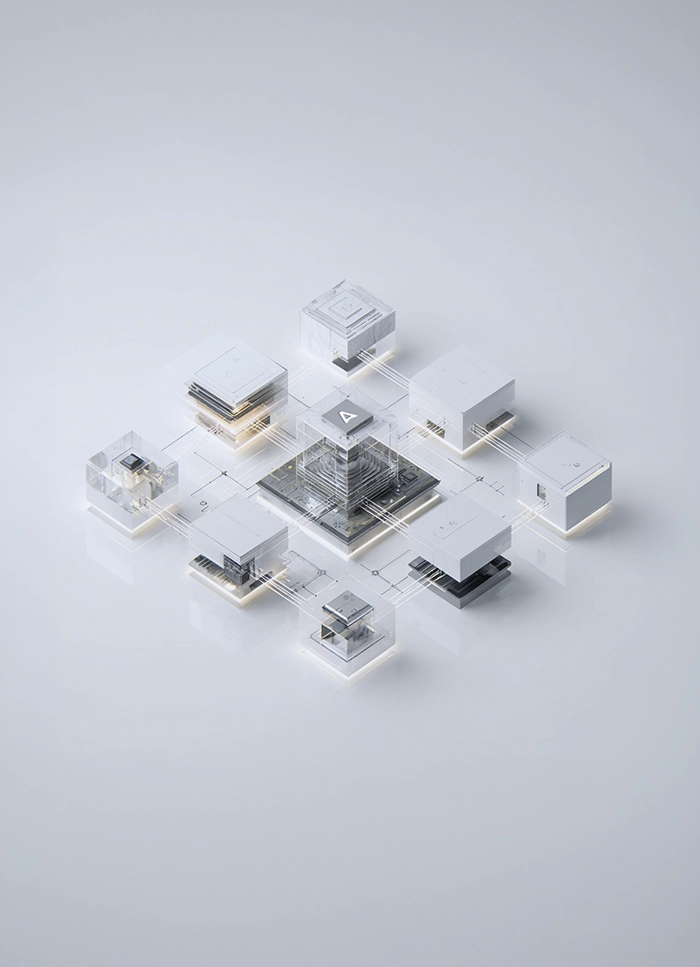
The system stays with you. So does the knowledge.
AX users know the Windows client; Dynamics 365 runs in the browser, with a different screen layout and new functions. The change is bigger than it looks from IT, so we plan adoption from the first week of the project.
.svg)
Knowledge transferred throughout, not at the end
Key users take part in the decisions on which customisations stay and which the standard replaces, and test the system in every migration iteration. Nobody is handed a new ERP on launch day as a surprise: they have known it for months, because they helped shape its configuration.

Role-based training on your processes
We train end users on their tasks, key users on a train-the-trainer basis, and administrators on managing environments and updates. We practise on your data and scenarios, not a sample company, with particular attention to what works differently in Dynamics 365 than in AX.

Hypercare after go-live
In the first weeks after launch, typically six to eight, we provide intensive support: stabilisation, day-to-day questions, configuration fixes, the first period close. After that we move to ongoing managed support on a predictable model, if you want it.

Why we work this way
Companies leaving AX usually have strong teams that maintained the system for years. Our role is not to replace them but to take them through the technology change and hand over a system they can develop. We consider vendor lock-in bad practice.


.svg)

Why entrust your AX migration to us

We know both worlds
We have worked on the Dynamics platform since Axapta, through every version of AX, to today's Dynamics 365. We understand how the teams that wrote X++ ten years ago thought, and how to carry that code into the extension model without losing the business logic.

Polish compliance off the shelf
KSeF, JPK and the Polish Localisation Pack are our own, maintained solutions. In a migration you do not build the Polish localisation from scratch or wait on an outside vendor: compliance is in the system from day one and updates with the regulations.

Project-recovery experience
We have taken over migrations that stalled with other partners. So we know where these projects derail, in the code, the data and the cutover, and we plan the work to clear those points first, not last.

A fixed price with a safeguard
We price the migration on a fixed-price basis from the environment assessment. You know the cost from the outset and you are not funding our learning.

Microsoft Solutions Partner
We hold the highest Microsoft partnership status in Business Applications, which grants us access to the vendor's technical resources and migration programs that our clients benefit from.

Poland and the UK in one team
We run migrations in the Polish companies of international groups and rollouts abroad, so we can reconcile head-office requirements with Polish rules and speak to both sides in their language.

Knowledge stays with you
Documentation, a customisation map, role-based training and hypercare are part of every migration. Your team takes the system over knowingly and develops it on its own.

See how we transform tech companies
BBK


BUUK Infrastructure


Eton Shirts


CTDI


Exterion Media


Georg UTZ


WPP


Westfield

TERG


S&P Polska


Saller Polbau

OSTP


Nicols

New Yorker


NCC


Global Advertising Holding

Cooperation models
- Fixed-price environment assessment: a decision on the route and cost within a few weeks, with no licence purchase.
- Turnkey migration: an upgrade or fresh implementation of agreed scope, at a fixed price and to a schedule.
- Phased migration: entity by entity or country by country, with AX kept running in parallel until the programme ends.
- Stalled-migration takeover: project recovery with a diagnosis, a remedial plan and delivery to a safe launch.




Leaving AX, under control
Start with a free consultation or with an environment assessment that shows the route, cost and risk of the migration within a few weeks.
From audit to support, the full Dynamics 365 lifecycle
We manage the entire system lifecycle: from initial decision-making and implementation or migration to ongoing development and maintenance. One partner, a predictable process, and risk control at every stage.

Dynamics 365 implementation
We will take your company through the whole Dynamics 365 implementation process, from needs analysis, through configuration, to go-live and post-go-live support.

Rollout
Extend a proven Dynamics 365 solution to further branches and countries, keeping processes and standards consistent across the whole organisation.

Licensing optimisation
We analyse your Dynamics 365 licences and choose the optimal model, to reduce costs without losing the functions you need.

Project recovery Dynamics 365
We take over at-risk and delayed Dynamics 365 implementations and guide them to a successful go-live.
Frequently asked questions about migrating from Dynamics AX
Will we lose our transaction history?
On an upgrade from AX 2012 R2 or R3 the whole database is converted, so the full history moves to Dynamics 365. On a fresh implementation, the only route for AX 2009, master data, balances and open items migrate, while history moves to an archive or data warehouse, where it stays available for reporting and audits. The environment assessment settles which route we take.
How long does a migration from AX take?
Typically six to eighteen months, depending on the AX version, the scale of modification, and the number of integrations and entities. An upgrade of a standard AX 2012 R3 is nearer the lower end; a fresh implementation for several entities nearer the upper. You get a specific schedule after the environment assessment, and phases with decision gates mean you are not buying the project blind.
What about our X++ customisations?
Dynamics 365 does not support over-layering, so every modification is classified: we refactor it as an extension, replace it with a standard function or an AppSource solution, or deliberately retire it if it is no longer used. In practice some of the code disappears because today's standard covers it, and the system is lighter and cheaper to run after migration.
Will the migration handle KSeF and JPK?
Yes. The Polish compliance layer is provided by our own solutions: KSeF, JPK and the Polish Localisation Pack, integrated with Dynamics 365 and updated as the rules change. KSeF is mandatory from February 2026 for the largest taxpayers and from April 2026 for all other businesses, so we build compliance into the migration plan from day one rather than as an add-on after launch.
Cloud or on-premises?
Cloud by default: continuous updates, no infrastructure of your own, full access to Copilot and the data platform. We consider on-premises with hard data-sovereignty requirements or no Azure region. We design both options so a later change of decision stays possible, and we match licensing to the chosen variant.
Can we migrate in stages?
Yes. With several entities or countries we migrate them one at a time, by risk and readiness, while AX stays in use until the programme ends. The Microsoft migration programmes for customers with an active enhancement plan allow both systems to run in parallel during the transition, so phasing does not mean double licence costs.
Our migration stalled with another partner. What now?
We run project recovery: we work out what was actually delivered, save the parts with value, rebuild the plan and bring the migration to a safe launch. We start with the same environment assessment as a new project, plus an audit of the work so far, so you do not pay twice for what already works.

Looking for a Microsoft partner? Let's talk about your project
Work with a team that has delivered implementations and projects for dozens of companies. Schedule an introductory call and see:
How to tailor Dynamics 365 to your company's processes, rather than the other way around
Which areas are worth automating to save time and reduce costs
Here is the step-by-step implementation process with Anegis: from analysis to post-launch support
