
Create standard class methods for AX 2012

So let get started, first create new class in AOT and rename it:

Then double click on the class to open the code editor and click on button ‘New’ to create new method:
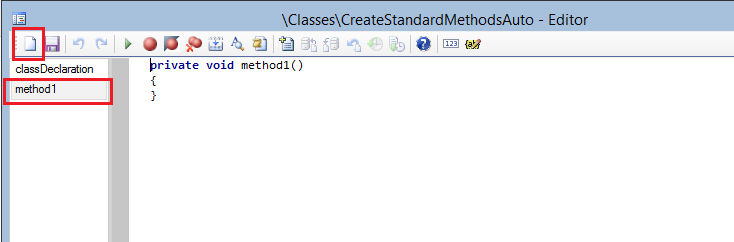
Now select all in the newly create method (use ‘Ctrl+A’ key combination) and type construct, then hit the ‘Tab’ key and the magic happens, the construct method was created:

Now we’ll create a main method the same way, just create new method, select all and type ‘main’:

Press ‘Tab’ and the main method gets created:

The only thing you need to add now is creating instance out of class and running some method from the instance. For creating the instance we can use the construct method created before also in automatic way:

So now comes the best part, creating parm methods automatically. Create new method, select all and type ‘parm’, then press tab. A new form will pop-up to declare variable and type for the parm method:

Just have in mind that you should declare the variable in the class declaration as well:

And that's it, you can create basic methods that you need in most of the classes in matter of seconds.
Happy DAXing.
See more

AGA pomaga – poznaj inteligentnego asystenta do przetwarzania zapytań ofertowych: ANEGIS Generative Assistant


Jak z pomocą narzędzi Power Platform, Microsoft Fabric i AI zrealizować plan na cyfrową transformację? ANEGIS Power Center

Obowiązkowy KSeF startuje za 4 miesiące! Umów się na bezpłatne konsultacje i przygotuj swój system na zmiany
Looking for a Microsoft partner? Let's talk about your project
Work with a team that has delivered implementations and projects for dozens of companies. Schedule an introductory call and see:
How to tailor Dynamics 365 to your company's processes, rather than the other way around
Which areas are worth automating to save time and reduce costs
Here is the step-by-step implementation process with Anegis: from analysis to post-launch support




