Dynamics AX 2012 to Dynamics 365 migration in Norway: timeline and cost
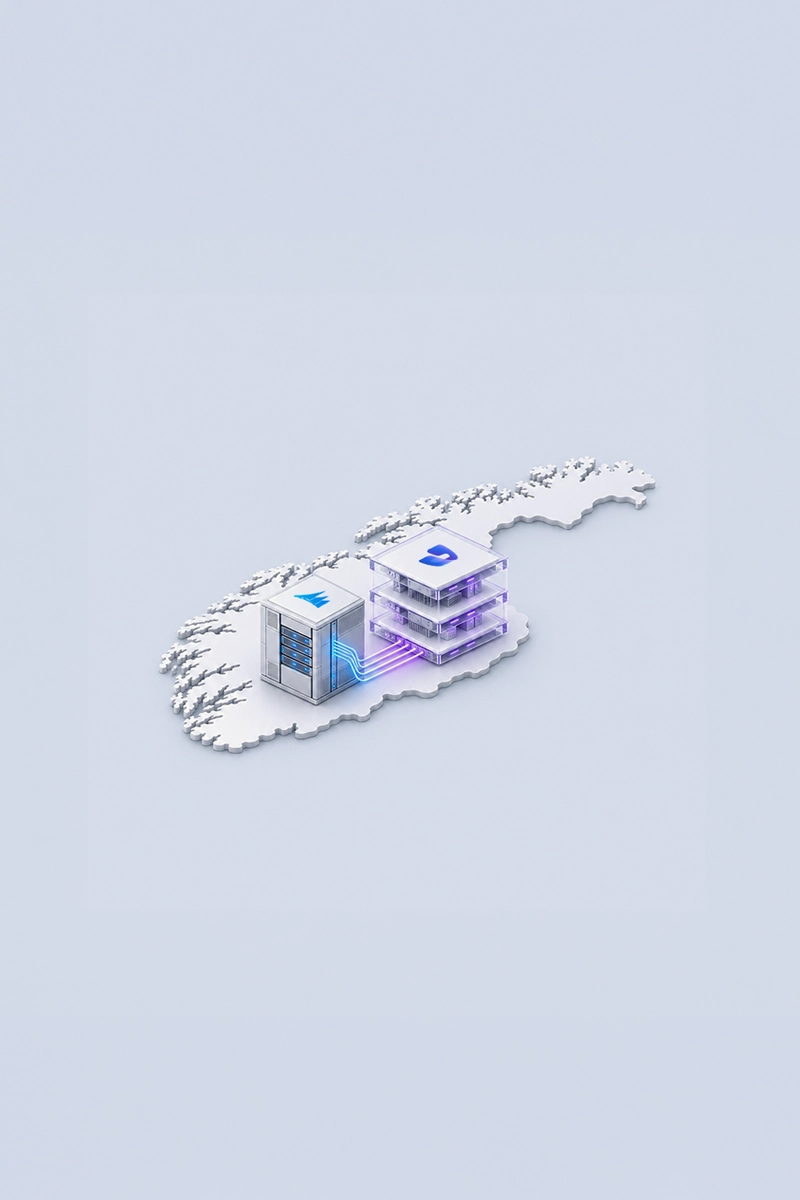
A Dynamics AX 2012 to Dynamics 365 migration in Norway typically takes 6 to 12 months for a single company and 9 to 15 months for a Nordic group with several entities. The project itself usually costs from about NOK 2.5 million for a focused technical upgrade to NOK 20 million for a group wide reimplementation, before licences. The spread depends less on the size of the database than on three decisions: whether to upgrade or reimplement, how much AX history to carry across, and when to go live relative to Norway's 2027 compliance changes.
For Norwegian companies the timing question has become the decisive one. From 1 January 2027 businesses must issue electronic invoices to buyers who can receive them, and SAF-T Financial version 1.40 applies to accounting periods starting that day. A company still running AX 2012 through 2027 will have to adapt an unsupported system to both, which means spending money on the platform it is about to leave.
Key facts at a glance:
• Typical timeline. 6 to 12 months for one Norwegian company, 9 to 15 months for a Nordic group, plus 4 to 8 weeks of stabilisation.
• Typical cost. NOK 2.5 to 20 million for the project, excluding VAT and licences, depending on the path and the number of entities.
• Upgrade path. Microsoft supports data upgrade from AX 2012 R2 and R3. Older versions such as AX 2009 need a reimplementation with data migration.
• 2027 deadlines. Electronic invoicing to buyers registered for Peppol and SAF-T Financial 1.40 both start on 1 January 2027.
• AX history. Norwegian primary documentation must generally be kept for 5 years, so the archive plan for AX belongs in the project scope.
• Best first step. A fixed price assessment of the AX environment settles the path and the budget before any licence is bought.

How long does an AX 2012 to Dynamics 365 migration take in Norway?
Most of the timeline is decided in the first six weeks. The assessment establishes which AX 2012 version and cumulative update the company runs, how many objects were changed over the years, how many integrations depend on AX tables, and how large the database has become. An installation that has run for ten or fifteen years often carries hundreds of modified objects, and every one of them has to be classified: retired, replaced by a standard Dynamics 365 feature, or rebuilt as an extension. That classification, more than user count or revenue, sets the length of the build. Data volume matters in a narrower way. It rarely changes the number of months, but it determines whether the final data upgrade fits into a single weekend, which is why teams rehearse the data upgrade three or four times and tune it between rehearsals.
Norway adds a calendar of its own. Go live dates in July clash with fellesferie, when key users and approvers are away, and the weeks around Easter carry the same risk. The cleanest cutover points are the start of a financial year or the start of a VAT term, because Norwegian VAT returns are usually filed per two month term and a clean break keeps each term inside one system. Testing should include a full VAT term close, a SAF-T Financial export, bank payment files with KID references and the postings that come back from the payroll system, since these are the processes that fail quietly after go live rather than loudly during it.
| Phase | Typical duration | What happens in a Norwegian AX project |
|---|---|---|
| Assessment and upgrade analysis | 4 to 6 weeks | Version and cumulative update check, inventory of customisations and integrations, data volume review, choice between technical upgrade and reimplementation, fixed budget |
| Solution design | 4 to 8 weeks | Target processes, Norwegian localisation (SAF-T Financial, electronic VAT return, EHF invoicing, KID payments), decisions on what AX code to retire |
| Code upgrade and build | 3 to 5 months | Customisations moved from overlayering to extensions or replaced by standard features, integrations rebuilt, reports redesigned |
| Data upgrade cycles | In parallel, 3 to 4 rehearsals | Trial data upgrades, reconciliation of balances and open items, tuning of runtime so the final run fits a weekend |
| Testing and training | 6 to 10 weeks | End to end tests including a VAT term close, a SAF-T export, bank files and payroll postings, then role based training |
| Cutover and stabilisation | 1 weekend plus 4 to 8 weeks | Dry run cutover, go live with a fallback plan, first period close, handover to ongoing support |
Should a Norwegian AX company upgrade or reimplement?
A technical upgrade moves the AX 2012 database, including its full transaction history, into Dynamics 365 Finance and Supply Chain Management, and converts the custom code into extensions. It is the faster and cheaper path, and it preserves continuity for finance teams who want five or more years of history in one place. Its weakness is that it also carries over the process design of 2010, along with workarounds that made sense on AX and may not on a cloud platform with continuous updates. A reimplementation starts from the standard Dynamics 365 processes, migrates balances, open items and a chosen slice of history, and leaves the rest in an archive. It costs more and asks more of the business, but it removes a decade of accumulated customisation in one step. In practice many Norwegian projects land in between: upgrade the data, redesign the areas where AX was bent furthest from the standard.
Two technical facts narrow the choice early. Microsoft documents that data upgrade is supported from AX 2012 R2 and R3, while installations that use virtual companies or data partitions cannot currently be upgraded and need a reimplementation instead. And Dynamics 365 already contains much of what Norwegian companies once built by hand in AX, including the SAF-T Financial export and the electronic VAT return, so local customisations for these can often be retired rather than upgraded. Signals that usually point one way or the other:
• Upgrade fits when the company runs AX 2012 R3 or R2, customisation is moderate and finance relies on long history in the ERP.
• Upgrade fits when the business model has not changed since AX was implemented and processes still match how people work.
• Reimplement fits when AX uses virtual companies or data partitions, or the company runs AX 2009 or older.
• Reimplement fits when acquisitions or new countries have changed the group structure since AX went live.
• Reimplement fits when more than a third of daily work happens outside AX in spreadsheets or side systems.
What does an AX to Dynamics 365 migration cost in NOK?
Partner services are the largest part of the budget, and they scale with the number of customisations, integrations and legal entities rather than with users. Licences are the second line and run from go live: at Microsoft list prices a full Finance or Supply Chain Management user costs USD 210 per month, a second app for the same user USD 30, and an activity user USD 50, so a company with 60 full users of both apps and 80 activity users pays around USD 18,400 a month. Hosting of production and sandbox environments is included in the subscription, which removes the SQL Server and Windows Server estate that AX 2012 still runs on. That estate matters: Windows Server 2012 R2 left support in October 2023 and SQL Server 2016 in July 2026, so the cost of staying on AX now includes unsupported infrastructure as well as an unsupported application.
The figures that companies most often leave out are internal. Key users typically spend 30 to 50 percent of their time on the project during design and testing, and someone has to backfill their daily work. Independent software vendor solutions need their own Dynamics 365 versions and licences. The archive for AX history, if the company chooses not to migrate all of it, needs a home and a budget. The indicative ranges below are for midsize Norwegian companies and groups; an assessment replaces them with a fixed figure for the actual scope.
| Scope | Typical timeline | Indicative project cost (NOK, excl. VAT and licences) |
|---|---|---|
| AX environment assessment | 4 to 6 weeks | Fixed price agreed before the start |
| Technical upgrade, one company, moderate customisation | 6 to 9 months | NOK 2.5 to 5 million |
| Technical upgrade, Nordic group with several entities | 9 to 12 months | NOK 5 to 9 million |
| Reimplementation with data migration, one company | 9 to 12 months | NOK 5 to 10 million |
| Reimplementation across a Nordic group | 12 to 18 months | NOK 10 to 20 million |
| Licences from go live (Microsoft list price) | Monthly | USD 210 per full Finance or Supply Chain Management user, USD 30 per attached second app, USD 50 per activity user |
Which Norwegian deadlines should shape the migration plan?
Three dates sit on top of every AX migration plan in Norway. From 1 January 2027 businesses with bookkeeping obligations must issue electronic invoices for domestic B2B sales to buyers who can receive them, in EHF or Peppol BIS format. From 1 January 2028 the buyer's organisation number must appear on sales documents, and from 1 January 2030 every bookkeeping entity must be able to receive electronic invoices and keep its books in an electronic accounting system, according to KPMG's summary of the final regulations published in October 2026. In parallel, SAF-T Financial version 1.40 becomes the required format for accounting periods that start on or after 1 January 2027, while version 1.30 remains valid for earlier periods.
The practical consequence is that a company starting its migration now will almost certainly run AX into 2027. That leaves two sensible strategies. The first treats AX compliance for 2027 as a bridge: the smallest possible change to issue EHF invoices and produce a SAF-T 1.40 file, time boxed and owned by people who are not on the migration team. The second schedules go live at the start of a VAT term in 2027 and keeps the bridge as short as possible. In both cases one detail is easy to miss. If the switch happens mid year, a SAF-T request from the Tax Administration for 2027 will need files from two systems, so the cutover plan should define which system answers for which months before the first rehearsal, not after go live.

What happens to AX history, customisations and integrations?
Norwegian rules make the history decision concrete. Primary documentation must generally be kept for 5 years, electronic bookkeeping records must remain available for 3 years and 6 months after the end of the financial period, and electronic records may be stored in the EEA, the UK or Switzerland after written notice to the Tax Administration, provided they remain available and printable in Norway, as set out in Altinn's guidance on retention of accounting documents. A company that reimplements therefore still needs AX data to be readable for years after go live, either in a read only AX environment, which keeps the old infrastructure alive, or in a structured archive that finance and auditors can search without AX. The second option usually costs less over five years and lets the company switch off the AX servers soon after stabilisation.
Customisations and integrations need the same discipline. The questions that keep the scope honest are simple, and they should be answered for every object and every interface before the build starts:
• Retire. Which customisations exist only because AX lacked a feature that Dynamics 365 now has, such as the SAF-T export or the electronic VAT return?
• Replace. Which bank integrations can move to standard ISO 20022 payment files with KID references instead of custom formats?
• Rebuild. Which interfaces, such as payroll postings, warehouse systems or the EHF access point, must be rebuilt as extensions or through integration services?
• Archive. Which history is needed daily in the new system, and which only for audits within the 5 year period?
• Report. Which reports are used every month, and which can be replaced by Power BI on Dynamics 365 data?
How ANEGIS handles AX migrations for Nordic companies
ANEGIS is a Microsoft Solutions Partner for Business Applications focused on Dynamics 365 Finance and Supply Chain Management, with 98 Dynamics 365 specialists and more than 170 experts across offices in Poland and the UK, working in the same time zone as Norway. Its Dynamics AX to Dynamics 365 migration service starts with an environment assessment that answers the upgrade or reimplementation question before any licence is bought, then runs the project in stages: refactoring code into the extension model, iterative data migration, testing, a dry run cutover and a launch backed by a fallback plan, with local statutory requirements built in from the first design workshop. ANEGIS has delivered more than five AX migrations. For BUUK Infrastructure, its AX partner for over ten years, ANEGIS moved the company from on premises AX to Dynamics 365 in the cloud before AX support expired: analysis ran from November 2021 to May 2022, the implementation took 14 months, the system went live on 3 July 2023, and the ANEGIS support team took over after a two month stabilisation phase.
In the Nordics, ANEGIS works for NCC, the Swedish construction group whose main markets include Sweden, Norway, Finland and Denmark, and which runs Dynamics 365 Finance and Operations as its main ERP. For NCC the ANEGIS team developed dedicated accounts receivable, transportation and inventory modules and integrated Dynamics 365 with external systems through Microsoft Azure Service Bus. The same approach applies to Norwegian companies leaving AX: one environment designed for the group, Norwegian compliance handled in the standard localisation wherever possible, and knowledge transferred to the internal team so the system can grow without depending on the partner. For a wider view of what a Dynamics 365 project involves locally, see our guide to Dynamics 365 Finance and Operations in Norway.
Planning your AX migration in Norway
The cheapest migration decisions are the ones made before 2027 compliance work starts on the old system. Contact ANEGIS to book a free consultation or a fixed price assessment of your Dynamics AX environment.
FAQs
Can we upgrade directly from AX 2012 to Dynamics 365?
Yes, if you run AX 2012 R2 or R3. Microsoft supports a data upgrade that keeps transaction history, with custom code converted to extensions. AX 2009, earlier versions and installations using virtual companies or data partitions need a reimplementation with data migration instead.
Do we need to update AX for SAF-T 1.40 and electronic invoicing in 2027?
If AX is still your ERP in 2027, yes. SAF-T Financial 1.40 applies to periods starting 1 January 2027, and electronic invoices to Peppol registered buyers start the same day. Keep that work minimal and time boxed, since AX will be retired.
How much AX history should a Norwegian company migrate?
Usually balances, open items and one to two years of transactions. Norwegian primary documentation must generally be kept for 5 years, so older history goes to a searchable archive that stays available and printable in Norway for the whole retention period.
When is the best time to go live in Norway?
At the start of a financial year or a VAT term, so each two month VAT term sits in one system. Avoid July, when fellesferie takes key users away, and plan which system answers SAF-T requests for the migration year.
Can ANEGIS run an AX migration for a company in Norway?
Yes. ANEGIS delivers AX to Dynamics 365 migrations from Poland and the UK in Norway's time zone, works for NCC across its Nordic operations, and starts every migration with a fixed price assessment of the AX environment.



Looking for a Microsoft partner? Let's talk about your project
Work with a team that has delivered implementations and projects for dozens of companies. Schedule an introductory call and see:
How to tailor Dynamics 365 to your company's processes, rather than the other way around
Which areas are worth automating to save time and reduce costs
Here is the step-by-step implementation process with Anegis: from analysis to post-launch support