
List panels with search option with AX 2012

The number of suppliers most times is very big so this time we will add search functionality.
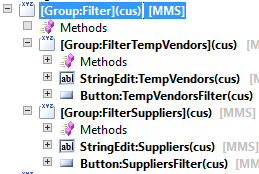
To start we need new group in our form with two new filter groups:


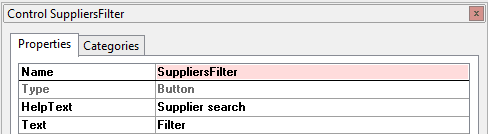
To each group, “FilterTempVendors” and “FilterSuppliers”, we will add “StringEdit” and “Button” control:
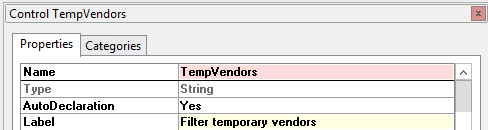


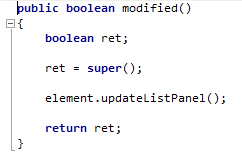
Now override modified() method on both “StringEdit” controls:
And on both “Button” controls override method clicked():
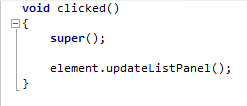
Method updateListPanel() was created previously and contains the fill() method from list panel.
Now our form contains search fields for each of the panels but for the filter functionality to work we need to add more code into each of methods responsible for filling the data, so suppliers() and temporaryVendors():
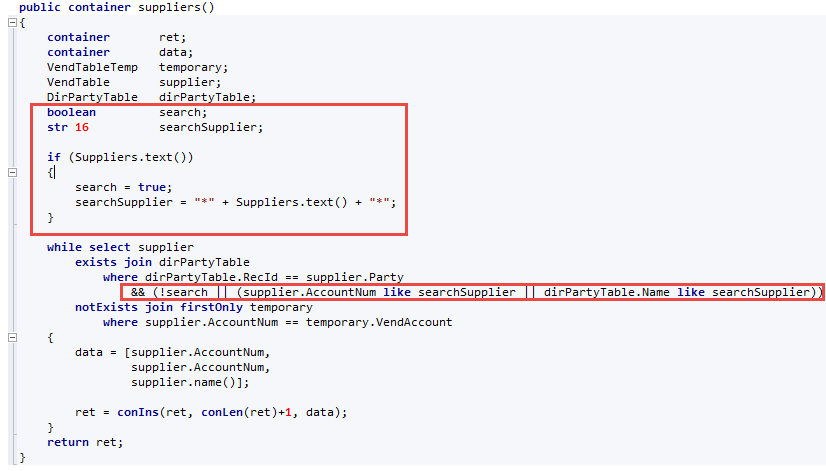
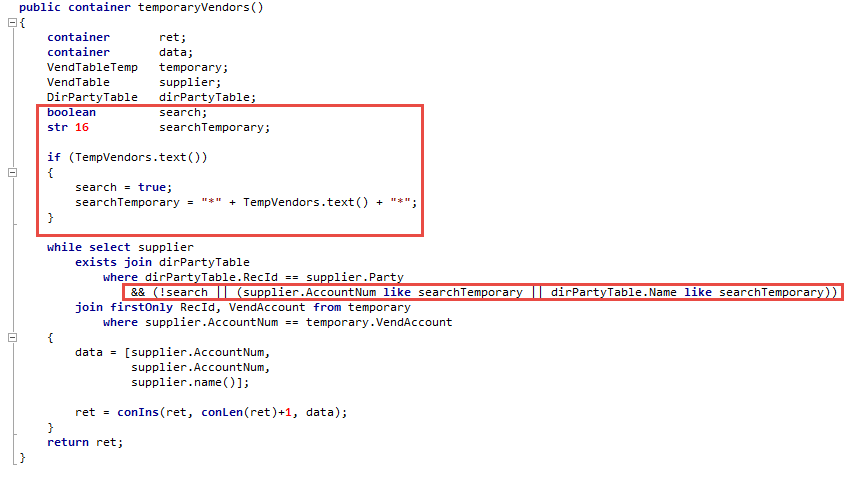
Now our search functionality is in place. Final view of form new objects:



Szukasz partnera Microsoft? Porozmawiajmy o Twoim projekcie
Pracuj z zespołem, który zrealizował wdrożenia i projekty dla dziesiątek firm. Umów rozmowę wstępną i sprawdź:
Jak Dynamics 365 dopasować do procesów Twojej firmy, a nie odwrotnie
Które obszary warto zautomatyzować, żeby odzyskać czas i obniżyć koszty
Jak wygląda wdrożenie z Anegis krok po kroku: od analizy po wsparcie po starcie




